
Introduction
The phrase best AI tools is searched constantly because teams are trying to solve a real operational problem: there are now many strong AI products, but they do not all solve the same job. One tool may be excellent for research and coding, another may be better for document-heavy reasoning, and another may be the fastest option for marketing design or visual concept work.
This article was reviewed against official product pages and official documentation available on January 27, 2026. The goal is not hype. The goal is to give you a practical selection guide you can actually use.
How we evaluated the tools
To make this guide useful for both individuals and teams, I evaluated each tool against the same decision criteria.
Core capability
What the tool actually does well in day-to-day work, not just in launch demos.
Best-fit use case
Which workflows the tool is best for, such as research, drafting, coding, brand design, or image ideation.
Operational fit
How suitable the tool is for teams that care about governance, repeatability, and collaboration.
Limitations
What you still should not rely on the tool to do without human review.
Quick answer: which AI tool is best for what
If you want the fastest decision, start here.
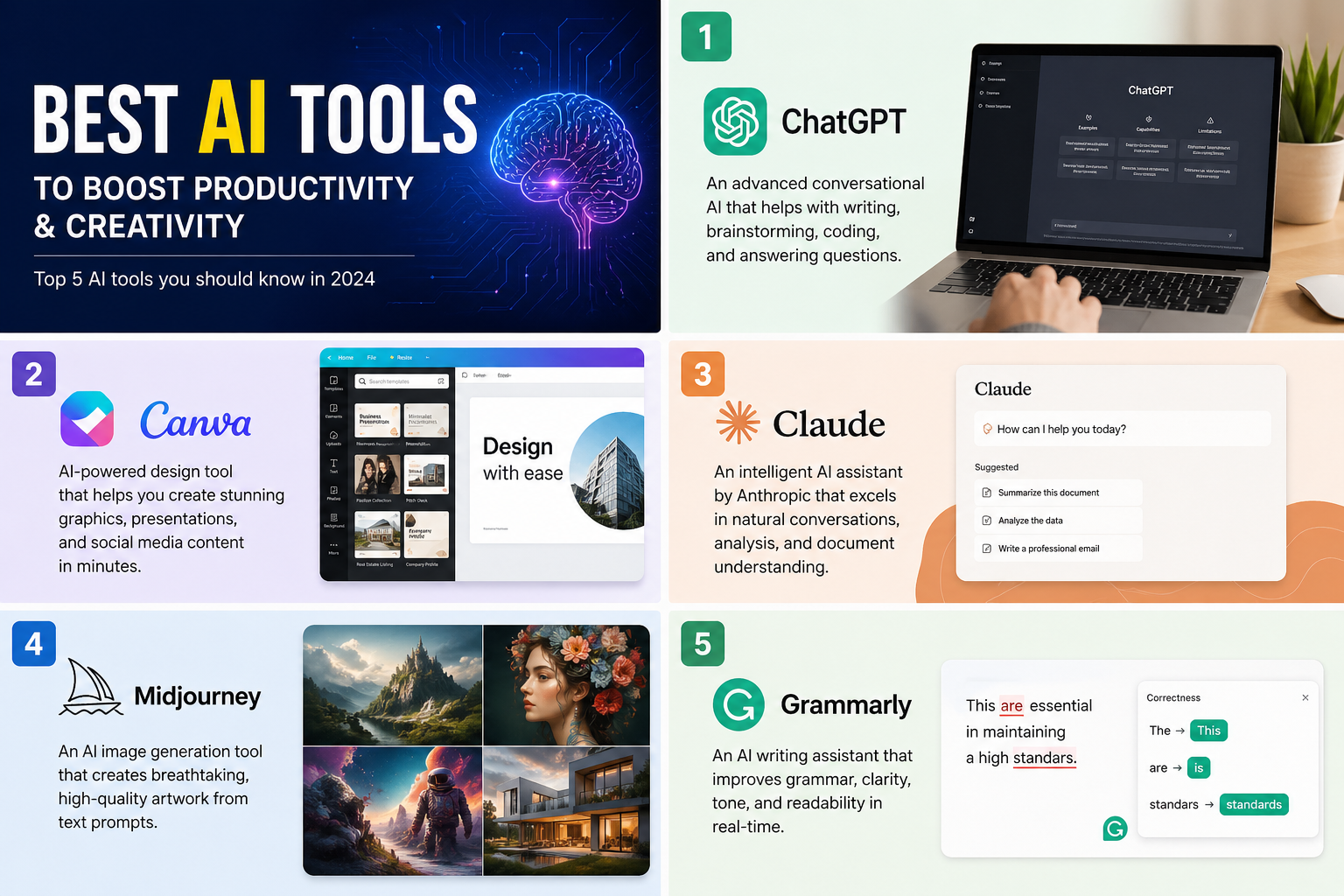
| Tool | What it does | Best for | Why it matters | Watch out for |
|---|---|---|---|---|
| ChatGPT | General-purpose conversational AI for research, drafting, coding, analysis, and multimodal work. | All-around productivity, brainstorming, coding support, and mixed workflows. | It is the most versatile single-tool starting point for most professionals. | Output quality still depends heavily on prompt clarity and human review. |
| Claude | AI assistant focused on thoughtful writing, document analysis, reasoning, and collaborative artifact creation. | Long documents, structured summaries, writing refinement, and careful analysis. | It often feels strong in sustained, document-heavy work. | Like any model, it can still be confidently wrong and must be verified. |
| Canva AI | AI-enhanced visual design platform for presentations, social assets, documents, and branded content. | Marketing content, quick visuals, presentation production, and non-designer teams. | It reduces design friction dramatically for everyday business output. | It is optimized for speed, not for deep custom visual craft. |
| Midjourney | Generative image platform known for stylized, high-quality visual outputs and concept art workflows. | Moodboards, campaign concepts, visual exploration, and art direction. | It is one of the clearest choices when the visual result matters more than office productivity. | It is not a general office assistant, and iteration still needs human taste. |
| Grammarly | Writing assistant for grammar, tone, clarity, rewrite suggestions, and communication polish. | Email, proposals, documentation, executive writing, and editing. | It improves the final quality of business writing with very low friction. | It polishes writing, but it should not be your only research or reasoning tool. |
Best overall AI tool for most people: ChatGPT.
Best AI tool for long-form reading and writing: Claude.
Best AI tool for presentations and visual business content: Canva AI.
Best AI tool for concept images and artistic output: Midjourney.
Best AI tool for final writing polish: Grammarly.
ChatGPT
What it is: ChatGPT is OpenAI's general-purpose AI assistant. Official OpenAI product pages position it as a system for writing, learning, brainstorming, coding, voice interaction, image generation, and deeper research workflows inside one interface.
Why it matters: This is the most flexible tool in the group. If someone asks, "I only want one AI tool to start with," ChatGPT is usually the safest answer because it covers more job types than any single-purpose tool.
Key features
- Conversational drafting and rewriting.
- Research assistance and web-connected workflows.
- Coding help, debugging support, and technical explanation.
- Image generation and multimodal input support.
- Project-style workflows that combine files, prompts, and iteration.
Best use cases
- Writing first drafts, emails, documentation, and strategy notes.
- Explaining technical concepts or generating implementation ideas.
- Summarizing research and turning it into action items.
- Creating structured outlines, tables, or workflow playbooks.
- Helping developers reason through code and architecture choices.
Developer perspective: ChatGPT is especially strong when you need a single assistant that can switch between code, product writing, system design, SQL, user stories, and stakeholder communication without changing tools.
Admin perspective: the value is not only model quality. The important operational questions are workspace controls, approved integrations, sensitive data handling, billing ownership, and whether teams are using it as an auditable workflow rather than as unmanaged shadow IT. That operational framing is an inference from enterprise adoption patterns, not a claim about one specific plan.
Limitations: ChatGPT is broad, but broad does not mean infallible. It can still hallucinate, overstate confidence, or produce plausible but incorrect summaries. It also works best when the prompt is clear and the user knows how to review output critically.
Claude
What it is: Claude is Anthropic's AI assistant for writing, analysis, coding, research, and collaborative artifacts. Anthropic's product materials emphasize document understanding, artifact creation, web search, and business integrations such as Google Workspace.
Why it matters: Claude is often a very good choice when the work is less about quick chat replies and more about reading, synthesizing, or reshaping large amounts of content into something coherent and usable.
Key features
- Document analysis and long-context reasoning.
- Artifact-style outputs for shareable structured work.
- Writing assistance for reports, plans, and polished drafts.
- Web-connected research and connected workspace workflows.
- Strong fit for iterative back-and-forth refinement.
Best use cases
- Summarizing dense policy, legal, or technical documents.
- Turning rough notes into cleaner business writing.
- Analyzing requirements, transcripts, or long meeting notes.
- Drafting structured plans, memos, and decision documents.
- Supporting developers who need careful explanation rather than just snippets.
Developer perspective: Claude is helpful when you want cleaner reasoning around architecture, specifications, or refactoring strategy. It is often a good second opinion tool for planning and code review style thinking.
Admin perspective: Claude becomes more attractive when a business wants an assistant that fits writing-heavy and knowledge-heavy workflows, but the same governance questions still apply: identity, access, approved data movement, retention, and user guidance.
Limitations: Claude is still not a substitute for expert review, especially in legal, compliance, medical, financial, or other high-stakes workflows. Large-context capability is useful, but it does not eliminate reasoning errors.
Canva AI
What it is: Canva AI packages AI features into Canva's design workflow, including tools for generating content, editing visuals, building presentations, and speeding up production through Magic Studio capabilities.
Why it matters: Most teams do not need a pure image model. They need to ship slides, social posts, internal one-pagers, and sales assets quickly. Canva AI matters because it sits inside a practical production environment rather than inside a prompt-only interface.
Key features
- AI-assisted design generation and editing.
- Presentation, document, and marketing asset creation.
- Brand-aware workflows for reusable visual consistency.
- Fast resizing and repurposing across multiple formats.
- Low-friction collaboration for non-technical teams.
Best use cases
- Social graphics, sales decks, posters, and campaign visuals.
- Turning rough copy into presentable business materials.
- Helping admins or business teams create internal rollout content.
- Designing faster without needing an advanced design stack.
- Maintaining repeatable brand output across many contributors.
Admin perspective: Canva AI is often appealing to business operations and marketing admins because templates, brand controls, and collaborative workflows help reduce inconsistency. The real governance question is whether brand assets, shared templates, and permissions are centrally managed.
Developer perspective: developers usually do not choose Canva AI for code work, but it is useful for architecture diagrams, demo visuals, launch decks, and quick UI communication artifacts.
Limitations: Canva AI is optimized for speed and accessibility, not for fully custom professional art direction. It is excellent for practical design throughput, but not every output will feel original without human curation.
Midjourney
What it is: Midjourney is an image generation platform known for highly stylized outputs and a strong creative community around prompt-driven visual exploration. Official Midjourney materials focus on image generation workflows, creative tools, and web-based creation features.
Why it matters: Midjourney is not trying to be your universal office AI. It matters because when the job is pure visual ideation, it often produces more striking or mood-rich outputs than general-purpose assistants.
Key features
- Prompt-based image generation.
- Strong visual style and concept exploration.
- Image variation, upscaling, and iterative visual direction.
- Useful workflows for storyboarding and moodboards.
- Good fit for art-led experimentation.
Best use cases
- Creative campaigns and visual brainstorming.
- Brand moodboards and art direction exploration.
- Concept images for pitches, prototypes, and story ideas.
- Hero art inspiration before full production design starts.
- Exploring multiple visual directions quickly.
Developer perspective: Midjourney is usually not a developer productivity tool in the direct sense, but it is valuable when teams need visuals for demos, product storytelling, mockups, or landing-page exploration.
Admin perspective: if a team is using generated visuals commercially, copyright, approval process, privacy, and acceptable-use policy matter much more than prompt cleverness. This is especially true when generated images are used in customer-facing marketing.
Limitations: Midjourney is a specialist tool. It does not replace research, business writing, or coding assistants. It also still requires strong human taste to separate visually impressive outputs from actually usable creative assets.
Grammarly
What it is: Grammarly is a writing assistant built around grammar, clarity, tone, rewrite guidance, and AI-supported communication improvement across apps and documents.
Why it matters: Many people do not need another ideation engine. They need their existing writing to be clearer, more professional, and less error-prone. Grammarly wins because it improves the final communication layer with very low effort.
Key features
- Grammar and spelling correction.
- Clarity and tone suggestions.
- Rewrite assistance and communication guidance.
- Cross-application writing support.
- Fast editing for emails, docs, and business writing.
Best use cases
- Executive emails, proposals, and customer communication.
- Editing AI-generated drafts before sending them.
- Improving readability in documentation and internal updates.
- Helping teams maintain a more professional writing standard.
- Reducing awkward phrasing in fast-moving business communication.
Developer perspective: Grammarly is underrated for technical teams because even excellent engineers still send design docs, pull request summaries, incident notes, customer updates, and stakeholder emails.
Admin perspective: Grammarly is easy to underestimate because it looks narrow, but it creates value at scale by improving everyday writing quality across departments. The main question is whether the organization wants centrally managed writing assistance versus ad hoc individual subscriptions.
Limitations: Grammarly is not the best tool for deep reasoning, research, or image generation. It works best as the last-mile editor in a broader AI stack.
Admin and developer perspective
The right AI tool choice is different for individual creators versus managed teams. That difference becomes obvious once you look at operations, not just features.
| Role | What matters most | Best tool fit | Practical advice |
|---|---|---|---|
| Business admin / IT admin | Identity, permissions, data governance, billing control, and approved workflows. | ChatGPT or Claude for broad use, Canva AI for branded design, Grammarly for communication quality. | Do not evaluate only on model quality. Evaluate workspace controls, user training, and data handling policies first. |
| Developer | Reasoning quality, coding help, documentation support, and fast context switching. | ChatGPT first, Claude as a strong second tool for planning and review. | Use one general assistant as your primary tool and avoid fragmenting your workflow across too many similar apps. |
| Marketing / content team | Speed, brand consistency, campaign ideation, and publishable output. | Canva AI plus either ChatGPT or Claude, with Midjourney for concept-heavy visuals. | Use Canva AI for production speed, then add Midjourney only when visual originality matters. |
| Leadership / operations | Adoption, consistency, risk control, and measurable productivity gains. | ChatGPT or Claude as a platform choice, Grammarly as a communication multiplier. | Standardize a small approved stack instead of letting every team invent its own fragmented toolset. |
Best practices
- Pick tools by workflow, not by hype: ask whether you need research, drafting, design, ideation, or polish.
- Keep a small stack: one general assistant plus one specialist tool is usually better than five overlapping subscriptions.
- Review all important output: AI tools can accelerate work, but they should not be treated as self-validating.
- Define allowed data: teams should know what can and cannot be pasted into third-party AI tools.
- Use AI as a draft partner: the biggest productivity gains come from acceleration and refinement, not from removing human judgment.
- Measure real outcomes: time saved, throughput improved, and quality increased are better metrics than prompt novelty.
- Document your approved stack: this helps admins, developers, and business users make consistent choices.
Limitations
Even the best AI tools in 2026 still have real limitations, and it is important to say that clearly.
- No tool here is perfectly reliable: each can produce incorrect, incomplete, or overconfident output.
- AI quality is workflow-dependent: a tool that is great for writing may be mediocre for design, and vice versa.
- Governance still matters: enterprise rollout decisions should include privacy, approval, and retention questions.
- Generated content still needs ownership: strong results usually come from human direction, editing, and taste.
- Vendor features change: official capabilities, packaging, and interfaces can evolve quickly, so verify current details before a large purchasing or rollout decision.
Recommendation
If you want the clearest recommendation, it is this: start with ChatGPT as the general-purpose AI layer, then add one specialist tool based on your main bottleneck.
Choose Claude if your work is document-heavy and writing-heavy. Choose Canva AI if your team ships presentations, marketing assets, or branded content constantly. Choose Midjourney if your bottleneck is visual ideation and creative exploration. Choose Grammarly if your issue is not idea generation but communication quality.
For most teams, the best AI stack is not "everything." It is a focused combination that is easy to govern, easy to train, and clearly mapped to the work that actually matters.