
Introduction
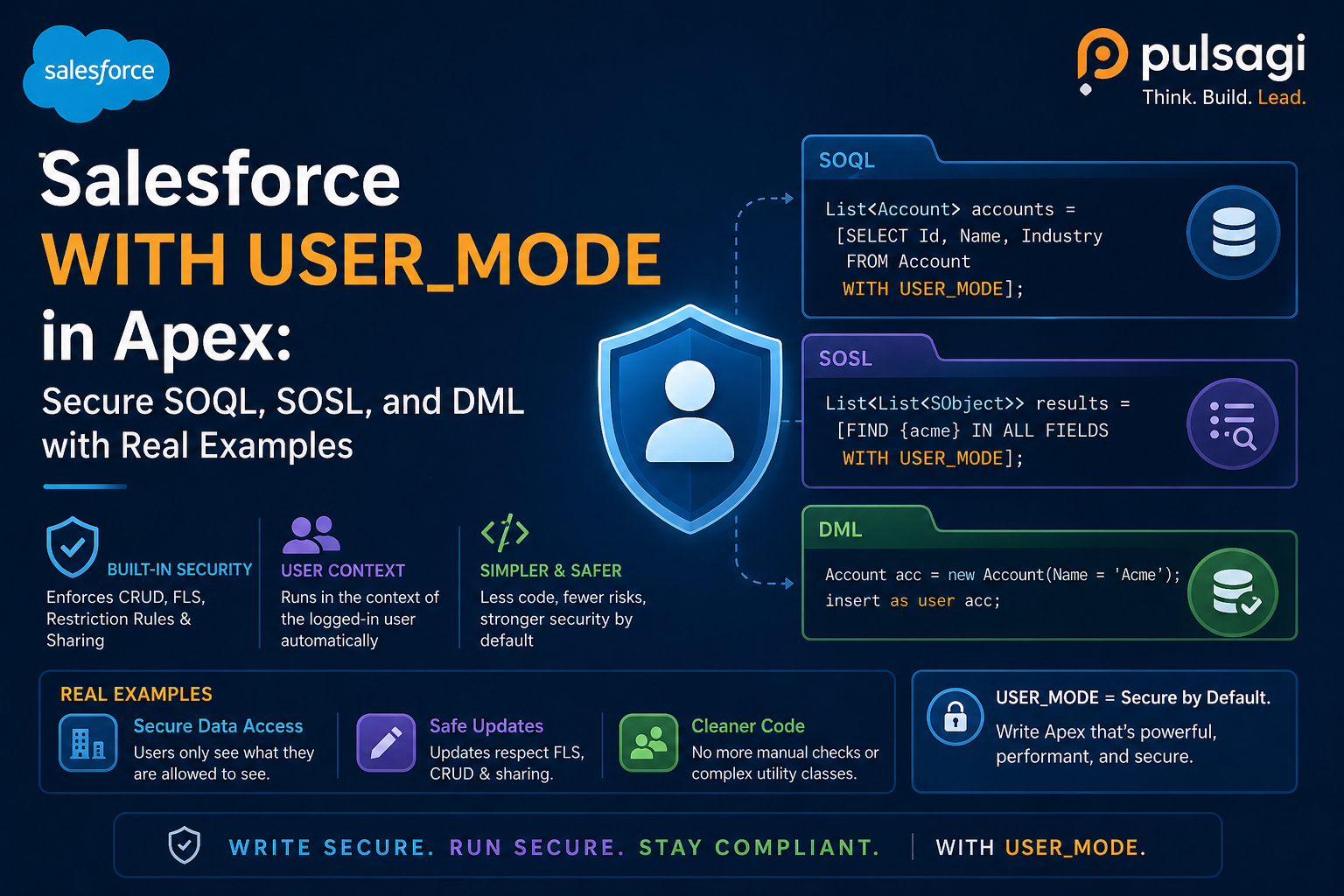
Salesforce Apex runs in system mode by default. That gives developers power, but it also makes it easy to return or modify data the running user should not be able to access. WITH USER_MODE changes that by letting database operations execute in the user's context instead of the default privileged context.
In practical terms, this is one of the most important Apex security improvements of the last few years. It reduces boilerplate, closes several gaps left by older patterns, and makes code review easier because the security intent sits directly on the query or DML operation.
WITH USER_MODE is usually the modern first choice for reads, searches, and writes.
What WITH USER_MODE actually enforces
Official Salesforce guidance describes user mode database operations as enforcing the same core data-access model the user already lives inside: record sharing, object permissions, and field-level security. For modern teams, that means fewer silent security assumptions hiding inside service methods.
What it checks
- Record-level access driven by sharing.
- Object-level permissions for the target sObject.
- Field-level access on selected or written fields.
- Modern platform access controls that Salesforce keeps extending, such as restriction and scoping rules.
Why that matters
- You avoid hand-written CRUD and FLS checks for many common cases.
- You reduce security review arguments about whether a helper method really enforced everything.
- You make AI-generated Apex easier to audit because the security mode is visible inline.
Salesforce Developers blog guidance also highlights a key advantage over WITH SECURITY_ENFORCED: WITH USER_MODE handles more complex access scenarios, including fields used in WHERE and ORDER BY, relationship queries, and additional security controls the platform may add later.
Why it matters now
Older Apex security patterns often fell into one of two extremes. Either the code did too little, such as relying only on with sharing, or it did too much boilerplate through repeated describe checks that were hard to maintain. WITH USER_MODE gives a cleaner middle path.
This is especially relevant in 2026 because teams increasingly use code assistants for Apex generation and refactoring. Those tools are good at syntax, but they can still produce unsafe queries that omit CRUD and FLS enforcement. User mode makes secure intent far more obvious and repeatable.
SOQL example
For static SOQL, the syntax is simple and readable. If the user cannot read the object, the field, or the record, the query fails instead of returning privileged data.
public with sharing class ExpenseController {
    public static List<Expense__c> getExpenses() {
        return [
            SELECT Id, Name, Amount__c, Status__c
            FROM Expense__c
            WHERE Status__c = 'Submitted'
            WITH USER_MODE
            ORDER BY CreatedDate DESC
            LIMIT 50
        ];
    }
}
The important nuance is not just the selected fields. Salesforce's Spring '23 guidance says WITH USER_MODE also checks fields used in clauses like WHERE and ORDER BY, which is one reason it closes gaps that older approaches left open.
Static SOSL also supports user mode, which is useful when a search screen should only return records and fields the user is allowed to see. That matters for service desks, sales search flows, and AI-assisted lookup experiences where search results must stay permission-safe.
Dynamic query and DML examples
When you need dynamic SOQL, Salesforce added database methods that accept access level explicitly. That lets you keep the same security intent even when the query string is assembled at runtime.
public with sharing class InvoiceSelector {
    public static List<SObject> selectByStatus(String statusFilter) {
        String soql =
            'SELECT Id, Name, Status__c, Total__c ' +
            'FROM Invoice__c ' +
            'WHERE Status__c = :statusFilter';

        return Database.queryWithBinds(
            soql,
            new Map<String, Object>{ 'statusFilter' => statusFilter },
            AccessLevel.USER_MODE
        );
    }
}
DML is just as important. If the user should only create or update records they are actually allowed to touch, use user mode there too.
public with sharing class InvoiceService {
    public static void createInvoice(Invoice__c draftInvoice) {
        insert as user draftInvoice;
    }

    public static void updateInvoices(List<Invoice__c> invoices) {
        Database.update(invoices, false, AccessLevel.USER_MODE);
    }
}
This is one of the biggest practical upgrades over older security clauses. WITH SECURITY_ENFORCED is read-query only. User mode reaches into DML as well, which makes it much more useful for real-world business services.
Use cases
- User-facing controllers: LWC, Aura, Visualforce, or Experience Cloud endpoints that should mirror the user's access model.
- Flow-invocable Apex: service methods launched by admins that still need to respect the invoking user's actual permissions.
- Search-heavy tools: SOSL-backed lookup, triage, or agent-assist experiences where a broad system query would be risky.
- Write paths with compliance sensitivity: create and update operations that must respect CRUD and FLS instead of trusting the class context.
- AI-generated Apex hardening: replacing fragile manual security code with a simpler, more reviewable pattern.
WITH USER_MODE vs WITH SECURITY_ENFORCED
These two features solve related problems, but they are not equal. If you are starting a new secure Apex implementation, the practical question is usually not whether WITH SECURITY_ENFORCED still works. It is whether WITH USER_MODE gives you broader coverage with less future risk. In most modern code, the answer is yes.
Why WITH USER_MODE is stronger
- It applies to SOQL, SOSL, and DML instead of read queries only.
- It enforces sharing, object permissions, and field-level security together.
- It aligns better with newer platform access controls that Salesforce continues to expand.
- It is the cleaner choice when the business action should behave exactly like the user.
Where WITH SECURITY_ENFORCED still fits
- Legacy read-only selectors and controllers already using it successfully.
- Incremental hardening when a full migration has not happened yet.
- Fail-fast SOQL paths where the codebase is not yet standardized on user mode.
If you want the full limitation breakdown from the legacy side, see WITH SECURITY_ENFORCED in Apex Explained.
Admin and developer perspective
Admins usually like user mode because it keeps Apex closer to the permission model they configure through profiles, permission sets, restriction rules, and sharing settings. It reduces the number of exceptions where "the screen says no, but the code says yes."
Developers like user mode because it simplifies secure code without turning every selector into a long chain of describe checks. It also makes pull requests easier to review. When a query says WITH USER_MODE or a method writes insert as user, reviewers can immediately see the intended trust boundary.
That said, both groups should remember that some business logic genuinely needs system-level power. User mode is the right default when the process should behave like the user, not the right answer for every admin or integration workflow.
Best practices
- Use user mode for user-like business processes. If the action conceptually belongs to the user, let the database operation reflect that.
- Keep sharing intent explicit on the class anyway. User mode can override the class-level operation context, but that is not a reason to make the surrounding class ambiguous.
- Use try/catch or controlled error handling. User mode throws security exceptions when access is denied, so the UX path should be deliberate.
- Prefer user mode over WITH SECURITY_ENFORCED for new secure reads. Salesforce's own Spring '23 guidance recommends this in most modern cases.
- Use
Security.stripInaccessible()when graceful degradation matters. If you want to strip disallowed fields instead of failing fast, user mode may be too strict. - Test negative permission scenarios. Build test users who lack some fields, objects, and record access so you validate the real behavior.
- Review AI-assisted code for accidental system-mode fallbacks. The fastest way to lose the benefit is to let a helper method quietly switch back to privileged access.
Limitations and when it is not enough
User mode is strong, but it is not the answer to every security requirement. If the requirement is "show what the user can see and silently drop the rest," Security.stripInaccessible() may be better because it allows graceful degradation instead of exceptions.
It also does not remove the need for intentional architecture. A poorly designed service can still mix trusted and untrusted flows in confusing ways. User mode improves the operation-level security boundary, but developers still need clear class design, error handling, and data minimization.
Finally, some background operations really do need system behavior. Batch repair jobs, controlled reconciliations, or setup-driven maintenance routines may need a different access model. The correct question is not "can we use user mode everywhere?" but "should this specific operation behave like the user?"
Recommendation
For new Apex that reads or writes business data on behalf of a user, use WITH USER_MODE or its user-mode DML equivalent by default. It is the cleanest modern way to align Apex behavior with Salesforce security controls.
Keep sharing keywords explicit on the class, use Security.stripInaccessible() when you need graceful degradation, and treat user mode as your preferred modern path over WITH SECURITY_ENFORCED for most new secure database operations.