
Why this work matters
Salesforce build work is where AI either becomes a productivity multiplier or a cleanup liability. Admin changes can look harmless but create page sprawl, fragile Flows, or unclear security behavior. Developer changes can compile and still fail under bulk load, field-level security, or real data conditions. That makes tool selection important.
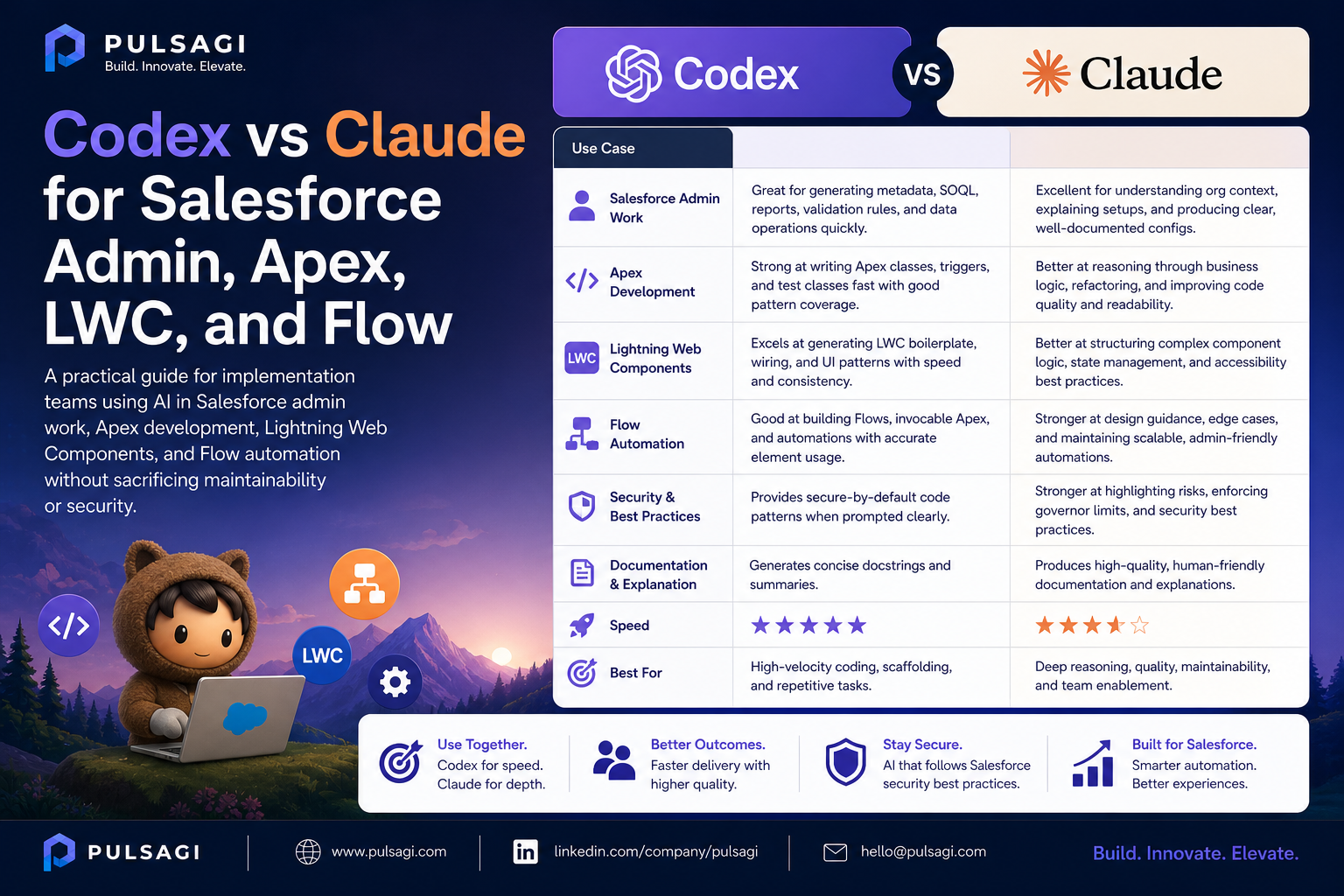
Claude is useful when the team needs clean translation from business language to design intent. Codex becomes more valuable when the task needs precise implementation, line-level reasoning, tests, and refactoring. In practice, many build tasks benefit from both tools, but in a specific sequence.
Salesforce admin use cases
Admin teams often get the fastest wins from AI because their work includes repetitive logic drafting, documentation, release notes, and requirement cleanup. Claude is usually stronger for business-facing language and requirement translation. Codex is useful when admin work starts touching complex metadata relationships or technical review.
- Validation rule drafting with plain-language explanations and test scenarios.
- Formula creation with edge-case handling and null-safety checks.
- Field descriptions, help text, report definitions, and dashboard metric narratives.
- Permission set and profile review questions before access changes are implemented.
- Release notes, sandbox checklists, and deployment readiness summaries.
Apex and LWC use cases
Codex is usually the stronger tool once the work becomes code-centric. Apex services, selectors, queueables, test classes, and LWC bug fixes all benefit from repo-aware editing and concrete verification. Claude still adds value when the team needs a cleaner explanation of why a pattern exists, how a component should behave, or how a PR should be communicated.
| Area | High-value Codex usage | High-value Claude usage |
|---|---|---|
| Apex | Bulk-safe classes, test coverage, refactoring, security review | Pattern explanation, architecture notes, tradeoff summaries |
| LWC | Component fixes, state handling, Apex integration, Jest outline | UX flow explanation, acceptance behavior, support notes |
| Code review | Finding edge cases, missing tests, insecure access patterns | Turning findings into review summaries or coaching notes |
Developer teams should be especially careful with generated Apex that appears clean but ignores sharing mode, user mode, test isolation, callout mocking, or governor limit behavior. That is where human review still matters most.
Flow and automation strategy
Flow is a strong AI use case because it sits between business logic and technical design. Claude helps convert a process into entry criteria, decision branches, fault messaging, and documentation. Codex helps question whether the Flow should exist at all, whether it should be decomposed, or whether Apex is the safer long-term path.
| Scenario | Prefer Flow | Prefer Apex |
|---|---|---|
| Simple field updates and user-facing branching | Usually yes | Usually no |
| Business-owned logic that changes often | Usually yes | Maybe |
| Heavy-volume orchestration or complex recursion control | Risky | Usually yes |
| Advanced external callouts or custom retry logic | Limited | Yes |
From an admin perspective, AI should help keep Flow understandable. From a developer perspective, AI should help identify when a declarative design is becoming hard to test, hard to debug, or hard to scale.
Best practices and limitations
- Always ask for test scenarios, not just the formula, Flow, or code.
- Require sharing, CRUD, FLS, and error-handling considerations for Apex and LWC-backed data access.
- For Flow, ask for entry criteria, fault paths, recursion control, and maintenance notes.
- For LWC, ask for accessibility and state-transition considerations.
- Do not deploy AI-generated Apex or automation without peer review and sandbox validation.
The main limitation is that AI often understands the local artifact better than the full org operating model. It can suggest technically valid logic that still creates admin burden, security ambiguity, or support overhead.
Recommendation
Use Claude to turn requirements into clear admin and implementation intent. Use Codex when the task needs Apex, LWC, refactoring, or careful technical review. For Flow, use both: Claude to structure the logic, Codex to challenge scale and maintainability. Teams that work that way usually ship cleaner automation and spend less time re-explaining what they built.